De-bias Your Discovery: The 3-Step Framework for Objective Insights
Stop running expensive validation exercises. Learn a 3-step framework to eliminate cognitive bias from product discovery and build what users actually want.

Product Leader Academy
PM Education
Sarah, a Principal Product Manager at a mid-market marketing technology platform, spent six weeks running 20 user interviews. Every customer told her the same thing: "If you build an automated multi-channel campaign builder, we will upgrade to the Enterprise tier."
She wrote a comprehensive PRD, secured engineering resources, and spent two quarters building the feature.
Six months after launch, adoption was at 2%. Enterprise upgrades remained completely flat.
Sarah did not skip discovery. She did exactly what the textbooks told her to do. Yet she still fell victim to the silent killer of product-market fit: cognitive bias. She asked leading questions, interviewed a biased cohort of friendly power users, and synthesized the data to match her pre-existing beliefs.
When you run biased discovery, you are not conducting research. You are running an expensive validation exercise to make yourself feel good about your own ideas.
To build products that drive actual retention and expansion, you must systematically remove human bias from your discovery process. This guide provides a 3-Step De-biasing Framework—covering Pre-Discovery, In-Discovery, and Post-Discovery—that you can apply with your team on Monday.
Step 1: Pre-Discovery — Kill Your Darlings & Define Your Cohort
Bias begins long before you ask your first interview question. It starts when you frame your discovery goal as "validating" an idea. The moment your team aims to validate a concept, cognitive filters kick in. You unconsciously seek out data that supports your thesis and discard data that contradicts it.
To run clean discovery, you must shift your team’s vocabulary from "validating our idea" to "testing our riskiest assumptions."
The Biases Addressed
- Confirmation Bias: The tendency to search for, interpret, and recall information in a way that confirms your prior beliefs.
- Overconfidence Effect: Overestimating the accuracy of your beliefs and the likelihood of your product's success.
- Selection/Sampling Bias: Interviewing only friendly power users, highly active accounts, or customers recommended by sales reps eager to close a specific deal.
Tactic 1: Assumption Mapping
Before writing an interview script, plot your product assumptions on a 2x2 grid.
| High Importance | Low Importance | |
|---|---|---|
| High Unknown | Test First (The Danger Zone)<br>Focus your discovery here. These assumptions can kill your product if wrong. | Monitor<br>Keep an eye on these, but do not waste interview cycles on them yet. |
| Low Known | Execute<br>Build, ship, and measure. You already have high confidence and data. | Defer<br>Ignore these. They do not impact your immediate product decisions. |
Focus your discovery questions exclusively on the High Importance / High Unknown quadrant.
Tactic 2: Establish "Kill Criteria"
Define what failure looks like before you start talking to users. Once you fall in love with a solution, you will ignore negative feedback. Kill criteria act as an emotional circuit breaker.
Write a falsifiable hypothesis using this exact template:
"We believe [Target User] has [Problem]. We are wrong if [Behavior/Metric occurs/does not occur]."
- Bad (Not Falsifiable): "We believe product marketers struggle to coordinate multi-channel campaigns." (There is no way to prove this wrong; it is too vague).
- Good (Falsifiable): "We believe product marketers spend more than 5 hours per week manually copying data between marketing tools. We are wrong if fewer than 70% of interviewed product marketers can show us a current, manual workaround they used in the last 7 days."
If your discovery interviews meet your kill criteria, you must pivot or kill the initiative entirely. No exceptions.
Tactic 3: The Behavior-Based Screener
Stop asking sales or customer success for a list of "good customers to talk to." They will hand you their happiest accounts, skewing your data.
Instead, use product telemetry to recruit cohorts based on past action, not demographics.
| Target Insight | Avoid This Recipient | Recruit This Cohort |
|---|---|---|
| Why users drop off during onboarding | Active users who completed onboarding | Users who signed up 14 days ago and dropped off at Step 3 |
| Why a feature is failing to retain | Customers recommended by Account Managers | Users who used the feature 3+ times in Week 1, but 0 times in Week 2 |
| Opportunities for a new integration | Users who say they want integrations | Users who manually export CSVs from your platform 5+ times a week |
Step 2: In-Discovery — The Art of the Neutral Interview
The way you ask a question determines the answer you get. If you ask a user, "Would you find a calendar integration helpful?" they will almost always say yes. It costs them nothing to be polite, and humans naturally prefer to agree with the person asking the questions.
The Biases Addressed
- Acquiescence Bias: The user’s tendency to agree with the interviewer to avoid conflict or appear helpful.
- Moderator Bias: Unconsciously steering the user toward a specific answer through your tone, phrasing, or facial expressions.
- User Solution Bias: Users proposing feature ideas (e.g., "I need an export button") that do not actually solve their root problem.
Tactic 1: The Golden Rule of Interviewing
Never ask about future behavior. Only ask about past actions.
Humans are terrible at predicting their future behavior. We believe we will go to the gym five times next week, eat clean, and use that new productivity app daily. We are wrong.
- Do not ask: "Would you pay $20 a month for this feature?"
- Do ask: "What did you pay to solve this problem last month?"
- Do not ask: "How often do you think you would use this dashboard?"
- Do ask: "Show me the last dashboard you opened. What did you look at, and when did you open it?"
Tactic 2: The "Why" Laddering Technique
When a user says, "I want a export-to-CSV button," do not write "CSV Export" on your roadmap. Users are not product designers; they are experts in their pain, not the solution. Use laddering to uncover the underlying job-to-be-done (JTBD).
- User: "I need you to add an export-to-CSV button to this reporting view."
- PM: "Walk me through the last time you exported this data. What did you do with the file once it downloaded?"
- User: "I opened it in Excel, deleted columns B through F, and then emailed the table to my VP."
- PM: "Why does your VP need that specific table?"
- User: "Because they need to approve our monthly budget variance, and they only care about that one metric."
The root problem is not a lack of CSV export. The root problem is that the VP needs a simple, automated way to approve monthly budget variances. Building a CSV exporter would have been a waste of engineering resources; building a scheduled, single-metric email report is the actual solution.
Tactic 3: The Question Pivot Guide
Print this table out and keep it next to your monitor during user interviews.
| Do Not Ask (Leading / Future) | Ask This Instead (Neutral / Past) |
|---|---|
| "Is our new interface easier to use than the old one?" | "Walk me through how you would complete [Task] using this screen." |
| "Would you use an automated scheduling tool?" | "How did you schedule your last three external meetings?" |
| "Do you find it frustrating when the system lags?" | "What happens when the system takes longer than expected to load?" |
| "If we built this feature, would you upgrade your plan?" | "What tools or workarounds do you currently pay for to solve this?" |
Tactic 4: The 5-Second Rule
When an interviewee finishes speaking, do not immediately ask your next question. Count to five in your head.
Silence is uncomfortable. To fill the silence, users will often expand on their last point, offering their most honest, unprompted insights. The best data is usually found in the post-silence follow-up.
Step 3: Post-Discovery — Objective Synthesis
Once your interviews are complete, you face a final hurdle: synthesizing the data without letting your brain cherry-pick the insights that support your favorite features.
The Biases Addressed
- Recency Bias: Remembering only the last two interviews you conducted and ignoring the first eighteen.
- Sunk Cost Fallacy: Clinging to an idea because you have already spent weeks researching it and writing code.
- Groupthink: The product team aligning too quickly around the opinion of the loudest voice or the Highest Paid Person’s Opinion (HiPPO).
Tactic 1: The Rainbow Spreadsheet
Do not rely on your memory or a messy document of raw notes. Use a structured Rainbow Spreadsheet to map user responses against your core hypotheses immediately after each interview.
Create a grid where each row represents an interviewee, and each column represents a key hypothesis or observed behavior.
| User | Hypothesis 1: Spends 5+ hrs/wk on manual data entry | Hypothesis 2: Currently pays for workarounds | Observed Workaround / Tools | Key Quote |
|---|---|---|---|---|
| User A | YES (Confirmed via screen share) | YES (Pays $49/mo for Zapier) | Zapier, Google Sheets | "I spend every Sunday copying this data." |
| User B | NO (Spends <30 mins/wk) | NO | None | "It's a minor annoyance, not a big deal." |
| User C | YES (Confirmed via screen share) | NO (Uses manual intern labor) | Internal admin tool | "We hired an intern just to handle this." |
Color-code the cells: Green for validated, Red for falsified, and Yellow for inconclusive. If your spreadsheet is mostly red and yellow, your hypothesis is wrong, no matter how much your team wants to build the feature.
Tactic 2: Blind Tagging
If you have multiple team members (e.g., a PM and a UX Researcher) reviewing interview transcripts, do not synthesize together initially.
Have both team members independently tag the transcripts for key pain points and themes. Compare your tags afterward. If you tagged "usability issue with navigation" and your researcher tagged "lack of user training," you have identified a blind spot in your interpretation.
Tactic 3: The "Red Team" Exercise
Before presenting your discovery findings to stakeholders or engineering leadership, assign one team member to play the role of the "Devil’s Advocate" (the Red Team).
Their sole job is to review your discovery data and build the strongest possible case against your proposed solution. They must look for gaps in your cohort selection, leading questions in your scripts, and inconsistencies in your spreadsheet.
If your findings cannot survive a 15-minute Red Team review, they will not survive a production launch.
Scaling Unbiased Discovery Across Your Product Team
As a product leader, you cannot sit in on every user interview. You must build operational guardrails that make unbiased discovery the default path for your team.
1. Reward the Pivot, Not Just the Ship
If your team only receives praise when they ship a feature, they will manipulate discovery data to justify shipping.
Normalize and celebrate killed initiatives. When a PM brings a discovery synthesis that proves a heavily anticipated feature should not be built, highlight it in your company-wide demo.
Use this framing:
"Team A ran rigorous discovery on the automated reporting initiative. They proved our core hypothesis was wrong, saving us six months of engineering capacity that we have now reallocated to our core retention engine."
2. Standardize the Discovery Stack
Do not let PMs run discovery out of private notebooks. Standardize your tools and templates:
- Shared Repository: Use tools like Dovetail, Productboard, or a centralized Notion database to store all interview recordings, transcripts, and Rainbow Spreadsheets.
- Peer Review for Interview Guides: Require PMs to have their interview scripts reviewed by a peer or UX researcher before talking to customers. A second set of eyes easily spots leading questions.
3. The Product Leader Discovery Checklist
Before greenlighting engineering resources for any product brief, run through this checklist with your PMs:
- Falsifiable Hypotheses: Are the hypotheses written with clear, measurable kill criteria?
- Behavior-Based Cohort: Did we recruit users based on telemetry, or did we rely on a list of friendly accounts?
- Past Behavior Focus: Do the interview questions focus on historical actions rather than future speculation?
- Symmetric Evidence: Does the synthesis document represent contradicting data as clearly as supporting data?
- Red Team Reviewed: Has another team member actively tried to disprove these findings?
Better Data, Better Decisions
De-biasing your discovery is not about adding slow, bureaucratic processes to your sprint cycles. It is about protecting your engineering team's most valuable asset: their focus.
By systematically eliminating confirmation bias, leading questions, and selective synthesis, you ensure that when your team writes code, they are building features that solve real, validated market pain.
Your Next Action
On Monday, open your current discovery draft or interview script. Replace every question that starts with "Would you...", "How helpful would...", or "Do you want..." with "Tell me about the last time you...".
Tags
Related Articles

Turning Continuous Customer Feedback Into Product Strategy
Stop being a reactive feature factory. Learn how to build an insight pipeline to filter customer feedback by ICP and make strategic roadmap decisions.
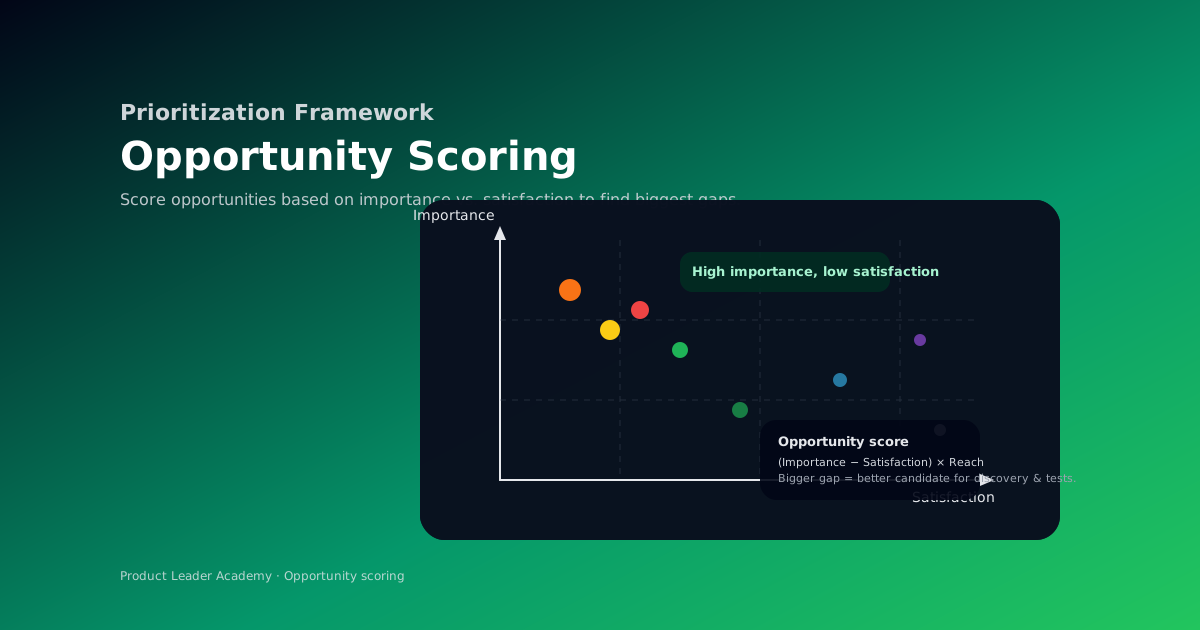
Opportunity Scoring: Finding Your Biggest Product Wins
Discover how to use Opportunity Scoring to identify high-value product improvements by measuring importance vs. satisfaction gaps.
Opportunity Scoring: Finding Your Biggest Product Wins
Discover how to use Opportunity Scoring to identify high-value product improvements by measuring importance vs. satisfaction gaps.