The 60-Second Scope Audit: How PMs Defeat Scope Creep
Protect your timeline from micro-creep. Learn how the 60-second scope audit helps product managers filter features, simplify MVPs, and launch on time.

Product Leader Academy
PM Education
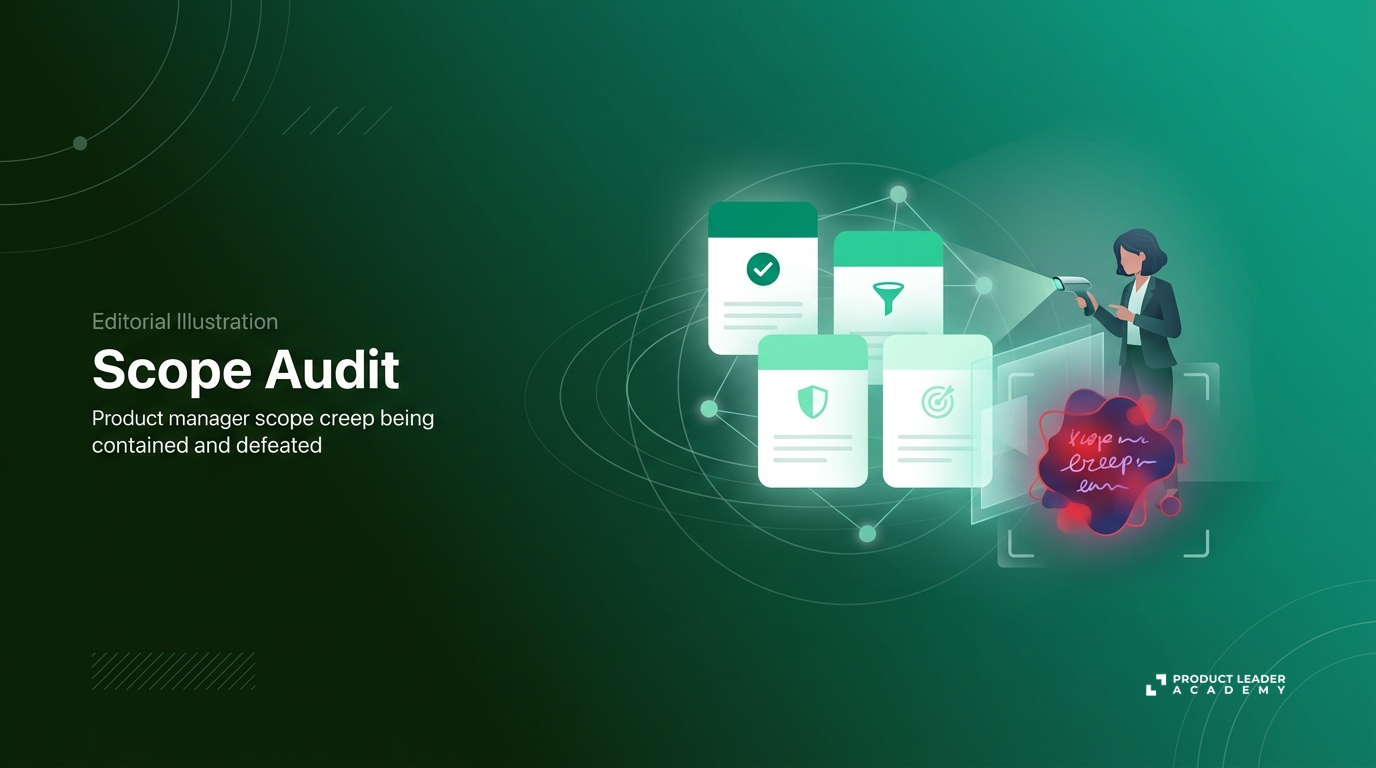
You started with a clean, elegant MVP: a basic dashboard to let users view their monthly spend. It was supposed to take two weeks.
Now, it’s week six.
You have a complex settings panel, custom date-range pickers, three export formats, and a Slack integration. Sales insisted on the PDF export. Design wanted custom tooltips. Engineering spent four days optimizing the database for queries that might never run.
This is the "Just One More Thing" trap. It is not a single, massive pivot that kills your timeline; it is the slow, invisible accumulation of minor additions. Micro-creep.
Every added toggle requires QA testing. Every extra form field increases cognitive load for your users. Every "quick addition" pushes your launch date back by a week, burying your core value proposition under a mountain of secondary features.
To protect your timeline and your sanity, you need an immediate defense mechanism.
The 60-Second Scope Audit is a rapid, repeatable cognitive framework you can run in your head during a meeting, on a Slack thread, or while drafting a PRD to instantly validate if a requirement is truly necessary for launch.
What is the 60-Second Scope Audit?
The 60-Second Scope Audit is built on the philosophy of radical simplification. As an Orchestrator PM, your value is not measured by the volume of features you ship, but by the speed with which you orchestrate value delivery. Your default question must shift from "What else can we add?" to "What can we remove without breaking the core value?"
The audit uses a three-question filter to evaluate any feature, sub-feature, or edge-case requirement:
New Feature Request Decision Flow:
- The Day-One Test: Is this a blocker for the core user loop?
- No $\rightarrow$ CUT / PHASE 2
- Yes $\rightarrow$ Proceed to Step 2
- The Reversibility Test: Is this decision reversible (a Type 2 decision)?
- Reversible $\rightarrow$ STRIP FROM V1
- Irreversible $\rightarrow$ Proceed to Step 3
- The Manual Alternative Test: Can we handle this behind the scenes?
- Yes $\rightarrow$ RUN MANUALLY
- No $\rightarrow$ BUILD IT
When to Run the Audit
Do not wait for a project rescue meeting to audit your scope. Run this framework at three critical touchpoints:
- During PRD Drafting: Before any code is written, run every user story through the filter to establish a lean baseline.
- During Design Sign-Off: Catch "polish" that adds functional complexity (e.g., custom animations or interactive states that require custom frontend logic).
- Mid-Sprint: When engineering uncovers an unexpected technical hurdle and asks, "Should we build a workaround UI for this?"
Step-by-Step: Executing the Three-Question Filter
To make this framework actionable, use the following criteria to evaluate every incoming request.
| Test | Core Question | Actionable Rule |
|---|---|---|
| 1. The Day-One Test | Does the user fail to achieve their primary goal if this is missing on Day One? | Define the "Happy Path" and cut everything else to Phase 2. |
| 2. The Reversibility Test | Can we easily change, add, or remove this post-launch with minimal tech debt? | If the decision is reversible (Type 2), strip it from the initial release. |
| 3. The Manual Alternative Test | Can our internal team handle this manually for the first 100 users? | Use "Wizard of Oz" workflows instead of building automated UIs. |
Question 1: The "Day One" Test (Core User Loop)
If you launch without this specific sub-feature or edge-case handling on Day One, does the user still achieve their primary goal?
If your user’s primary goal is to send an invoice, they do not need custom color themes on Day One. They need a recipient email address, an amount, and a send button.
Define the "Happy Path"—the absolute minimum steps required to complete the core transaction. If a requirement lies outside this path, it is not a Day-One requirement. Put it in your backlog.
Question 2: The "Type 2" (Reversibility) Test
In product development, decisions fall into two categories:
- Type 1 (Irreversible): One-way doors. These are difficult and expensive to reverse (e.g., changing your core database architecture or your primary billing engine).
- Type 2 (Reversible): Two-way doors. These can be easily changed, added, or removed post-launch with minimal tech debt (e.g., UI copy, button placement, or secondary features).
Most scope creep consists of Type 2 decisions disguised as Type 1. If a feature can be added later without rewriting your entire codebase, strip it from the initial release. Validate the core loop first, then add the polish.
Question 3: The "Manual Alternative" Test
Instead of building an automated system, dashboard, or self-service setting, can your internal team handle this manually for the first 100 users?
This is the "Wizard of Oz" approach. If a user requests a data export, do not spend two weeks building a self-serve CSV exporter with custom date filters. Build a "Request Export" button that sends an email to your support team. Your team can run a SQL query and email the CSV to the user.
If only five users request it in the first month, you just saved two weeks of engineering time. If 500 users request it, you now have the data to justify building the automated feature.
How to Run the Audit with Your Cross-Functional Team
You cannot run this audit in isolation. If you act like a unilateral scope dictator, you will alienate your team. Instead, use the audit as a collaborative tool.
Collaborating with Engineering: Trading Complexity for Speed
When an engineer uncovers a technical blocker mid-sprint, do not simply demand a fix. Run the audit together.
Ask: "If we skip this edge case and handle it with a clear error message for now, how many days of development do we save?"
Engineers respect PMs who value their time. By trading functional complexity for delivery speed, you build trust and keep the momentum high.
Aligning with Design: Protecting Usability, Avoiding Bloat
Designers want cohesive, highly polished experiences. This can sometimes lead to custom interactive elements that require heavy frontend engineering.
When reviewing designs, ask: "Can we use native browser elements for this dropdown instead of a custom UI component for V1?"
Explain that you are not compromising on design quality; you are prioritizing speed to feedback. A live, basic UI in front of real users beats a high-fidelity Figma prototype sitting in a review queue.
Managing "Emotional Debt"
Team members get emotionally attached to their ideas. When you cut a feature, do not frame it as a compromise or a rejection. Frame simplification as a win.
Celebrate shipping fast. When you cut scope, publicly thank the team member who suggested the simplification for helping the team ship sooner.
The "Not Now, But Next" Stakeholder Script
When sales, marketing, or executives push for a feature that fails the audit, do not say a flat "no." Frame the decision around speed to learning. Use this script:
"We want to validate [Core Value] with real users as fast as possible. If we include [Requested Feature] now, it pushes our launch back by [X] weeks. Instead, we are launching [Simplified V1] on [Date] to test user adoption. Once we prove users want the core product, [Requested Feature] is top of mind for our next iteration."
Real-World Case Studies: The Audit in Action
Case Study 1: The B2B SaaS Onboarding Flow
- Before: A product team designed a 7-step onboarding wizard. It included profile customization, team invitations, and integration setups. Estimated development time: 4 weeks.
- The Audit:
- Day-One Test: Does a user need to invite their team on Day One to see value? No. They need to see their own dashboard first.
- Manual Alternative Test: Can we handle team invites simpler? Yes.
- After: The team shipped a 2-step flow (Sign up + Create first workspace). Team invitations were replaced with a simple "Copy invite link" button that used a mailto link.
- Result: Saved 3 weeks of development time. The team validated user activation patterns a month ahead of schedule.
Case Study 2: The E-Commerce Checkout "Save for Later" Feature
- Before: To reduce cart abandonment, the team planned a complex database-backed wishlist system integrated into the checkout flow. Estimated development time: 3 weeks.
- The Audit:
- Reversibility Test: Is saving a cart item reversible? Yes. Do we need a database schema for this on Day One? No.
- After: The team built a simple "Save for Later" button that stored the item ID in the browser's local storage. Zero backend infrastructure required.
- Result: Built and tested in 2 days. The team gathered data on click-through rates before committing to backend database work.
Operationalizing the Audit: Making It a Team Habit
To scale this mindset across your product organization, you must build it into your team rituals.
1. Integrate the Audit into Sprint Ceremonies
During backlog refinement or sprint planning, make the 60-second audit a standard agenda item. When reviewing high-effort tickets, ask the team: "Which ticket on this board can we cut in half using the 60-second audit?"
2. Establish "Scope Budgets"
Set strict constraints before writing a single line of code. For example: "This feature must ship in one sprint. If our current scope takes longer than two weeks, we must audit and cut." Constraints force creative engineering solutions.
3. Track Your "Saved Days" Metric
Keep a running list in your team's workspace of the estimated developer days saved by cutting non-essential scope.
Saved Days Tracker (Q3)
| Feature | Original Est. | Actual Est. | Days Saved |
|---|---|---|---|
| SaaS Onboarding | 20 days | 5 days | 15 days |
| Save for Later | 15 days | 2 days | 13 days |
| Reporting Export | 10 days | 1 day | 9 days |
| Total Engineering Days Reclaimed: | 37 Days |
When your team sees that they saved 37 days of engineering time in a single quarter, ruthless prioritization stops being a chore and becomes a badge of honor.
Your Monday Morning Action Item
Great product management is defined by what you choose not to build. Speed to market is your ultimate validator of value.
Do not let micro-creep delay your next release. Run the audit on your current backlog today.
The Scope Diet Challenge:
- Open your active sprint board or product backlog right now.
- Pick one user story scheduled for development this week.
- Run the three-question filter on it.
- Cut at least one sub-feature, edge-case requirement, or custom UI element from that story before your next standup.
Tags
Related Articles
The 3-Tier Bet: How to Balance Product Innovation with Core Execution
Stop building in a feature factory. Learn how to use the 3-Tier Bet Framework to balance low-risk core updates, growth bets, and high-reward moonshots.
The 30-Day Scope: How to Ship Real Value in Four Weeks
Stop building multi-month epics that miss the mark. Learn how to apply the 30-Day Scope framework to ship high-impact value to production in four weeks.
The Scope Expansion Audit: How PMs Map and Tame Scope Creep
Learn how to use the Scope Expansion Audit (SEA) to map dependencies, evaluate value-to-complexity, and manage scope creep without burning developer bridges.